The following uses the English version as an example; for the Chinese version, simply select the corresponding location options.
Merging is a relative concept: you can merge from trunk to branch, and also from branch to trunk. The following uses merging from trunk to branch as an example.
Feature Overview
To keep a relatively stable file version, you may sometimes create a branch (branch) during development, so assets can be taken directly from the branch to improve stability.
Related operation: SVN switch branch
After we commit to the trunk, we sometimes need to propagate the same commit to the branch. In that case you can use SVN’s merge feature directly to simplify the operation.
Instructions
Preparation
You need to Checkout the trunk directory and the branch directory locally, and keep them as clean as possible with no extra changes, to reduce the likelihood of conflicts.
Merging
Right-click on the project root directory and choose TortoiseSVN->Show log to open the log window.
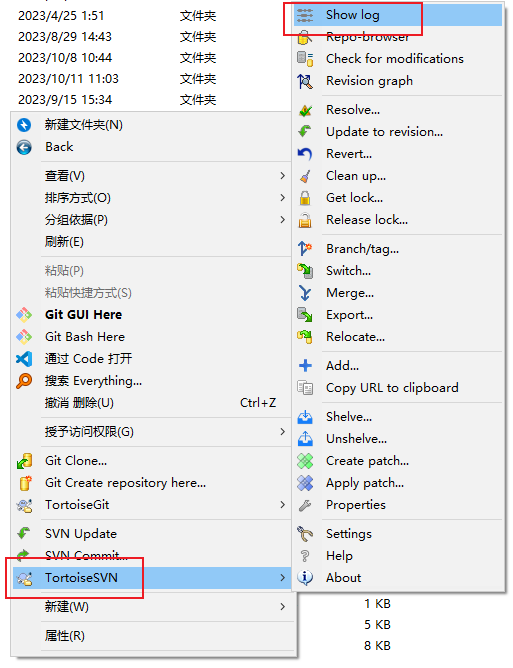 | 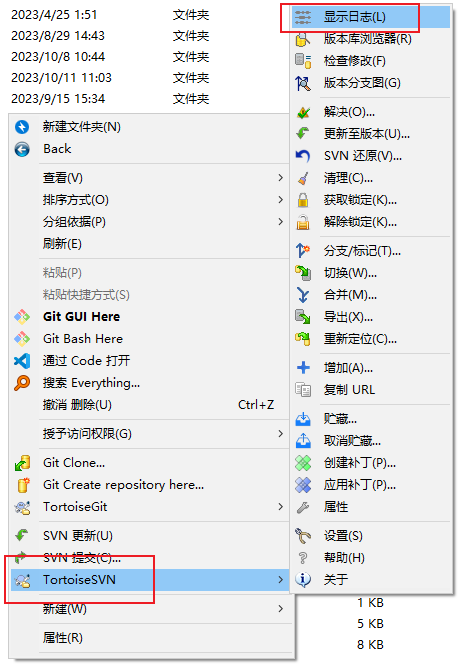 |
|---|---|
| English version | Chinese version |
Right-click the revision you want to merge and choose Merge revision to... to open the target selection window.
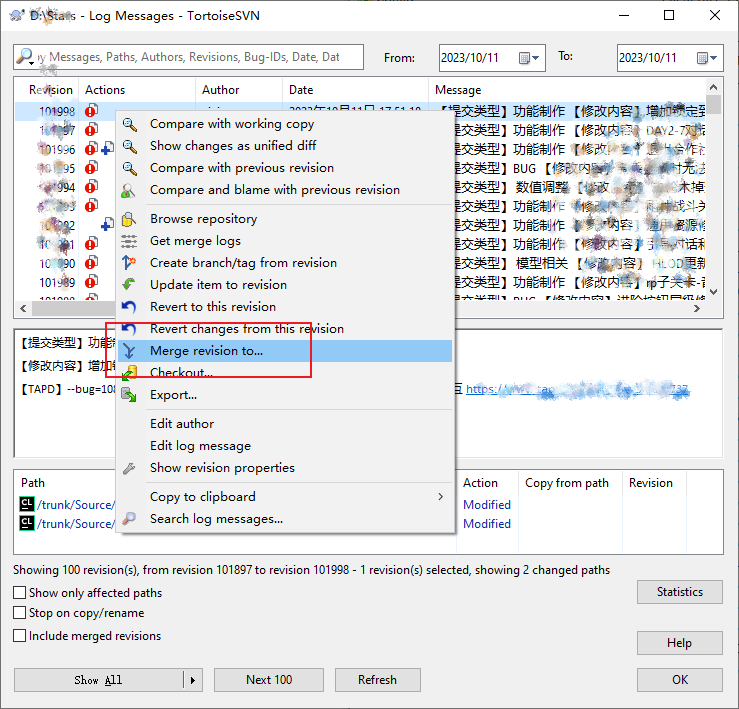 | 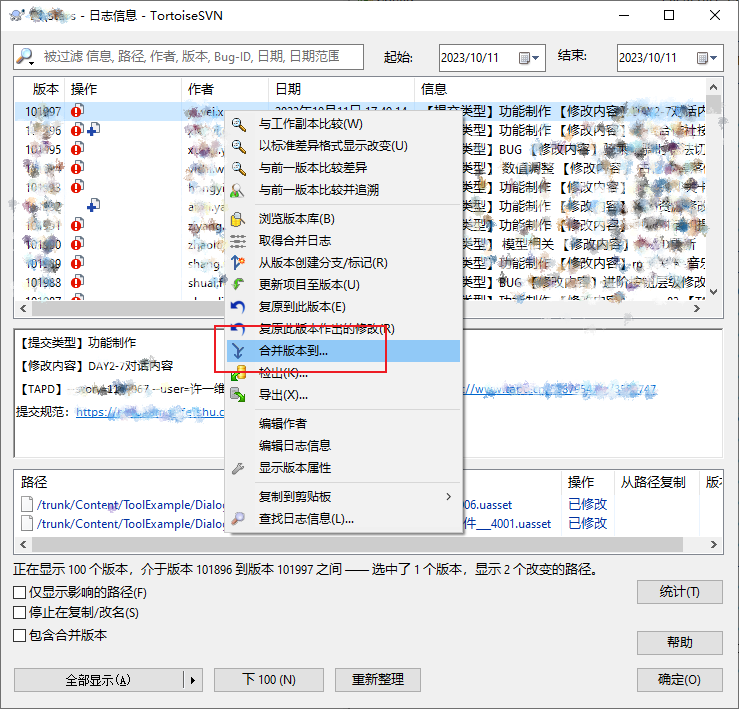 |
|---|---|
| English version | Chinese version |
Select the root directory of the local branch and wait for it to finish.
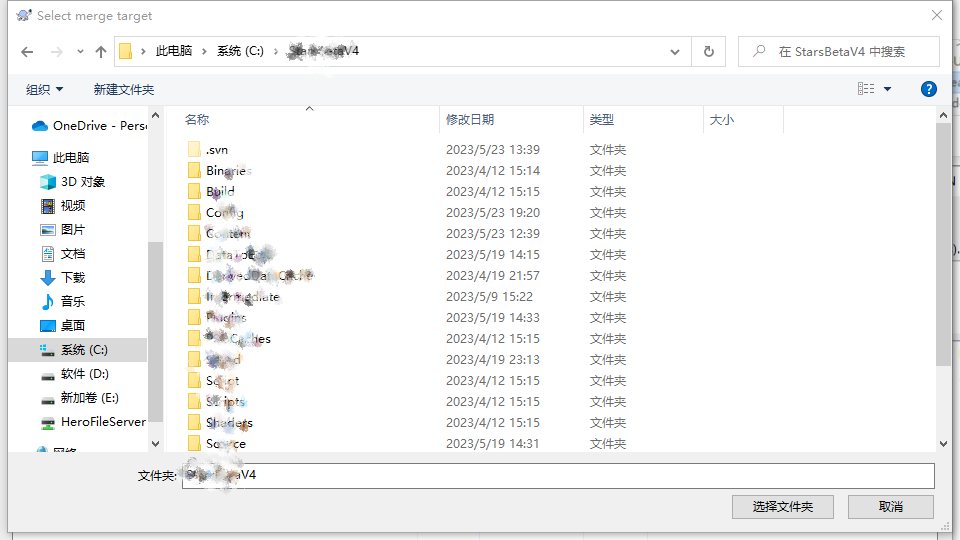
Resolving Conflicts
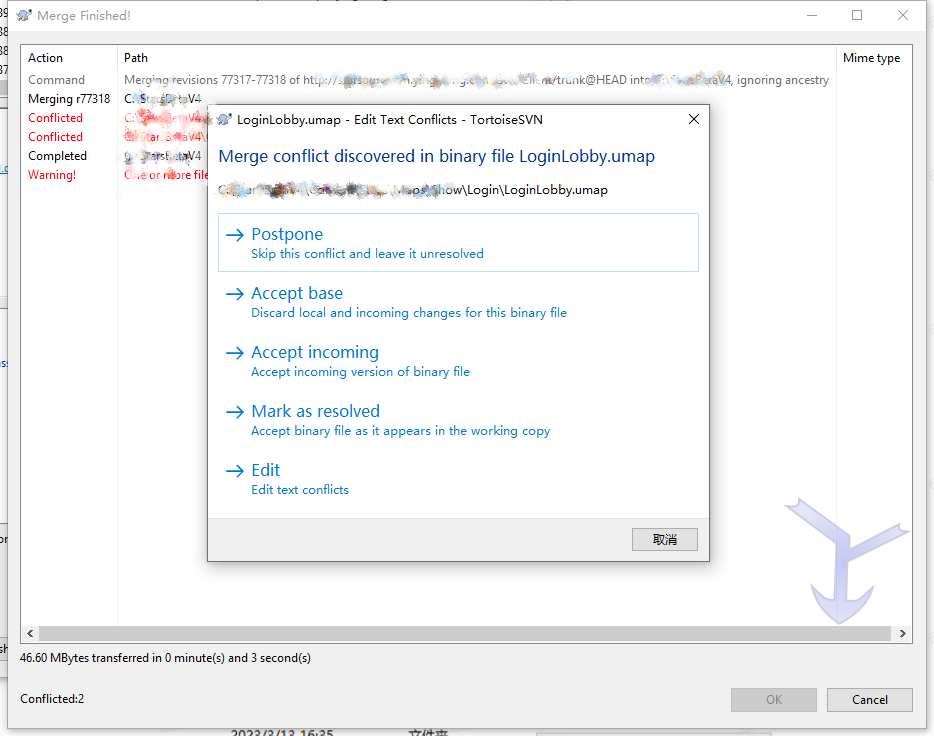
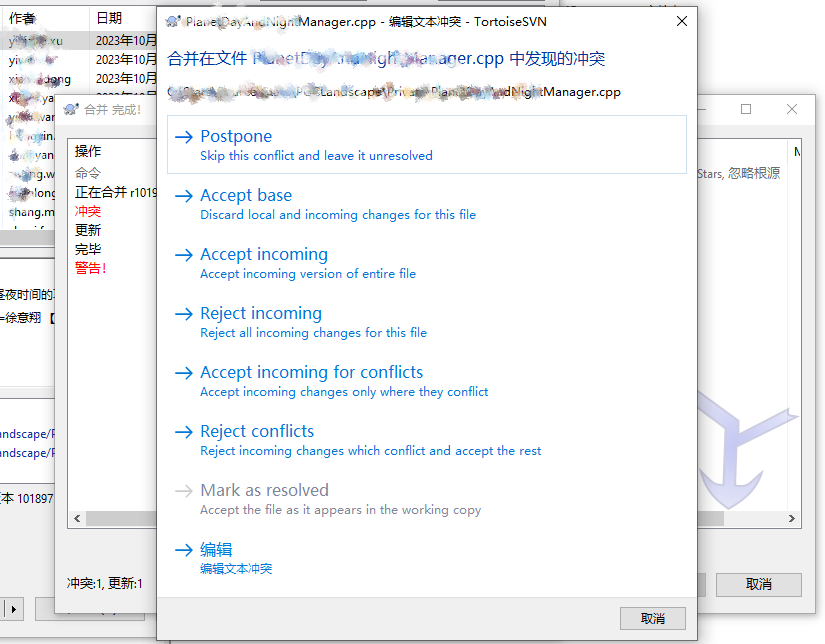
If the branch version does not match the trunk, SVN will attempt the merge; if it fails, it provides a confirmation dialog on how to resolve the conflict.
If the file is maintained by multiple people, communicate thoroughly to reduce anomalies.
For clarity, the source file is referred to below as the trunk, and the target file as the branch.
Postpone - Do nothing for now; the branch stays in a conflicted state, the affected files or directories are marked in red, and SVN creates temporary files that need to be handled promptly
Accept Base - Discard the trunk file and keep using the branch file
Accept incoming - Use the trunk file, overwriting the branch file
Mark as resolved - Mark as resolved, but note that the file is still in a conflicted state at this point; SVN deletes the temporary files
 |  |
|---|---|
| English version | Chinese version |
Merge Successful
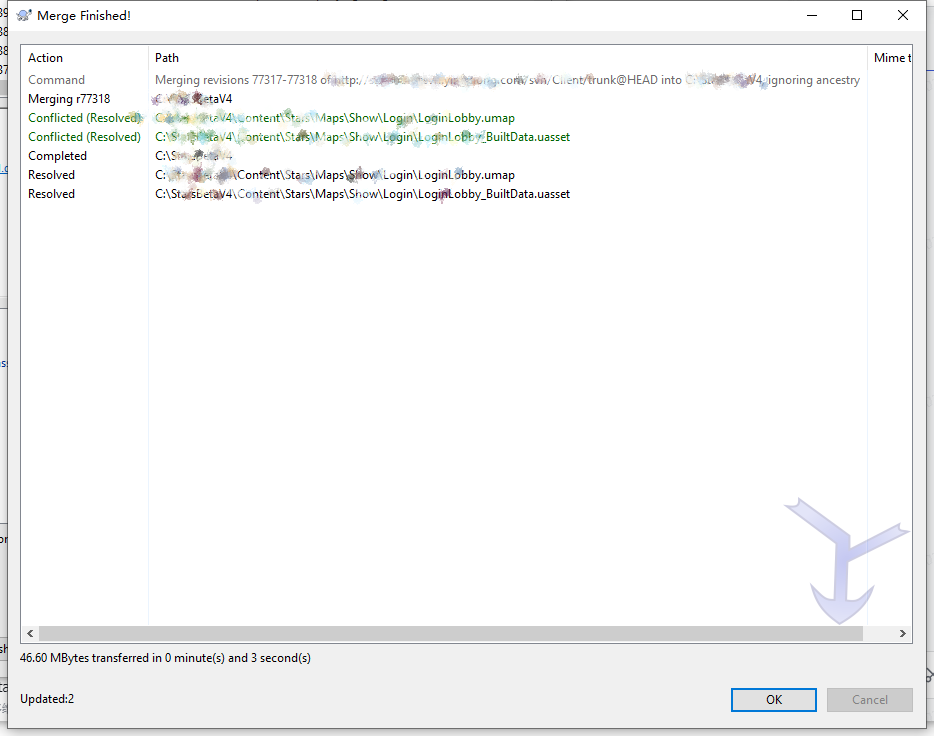
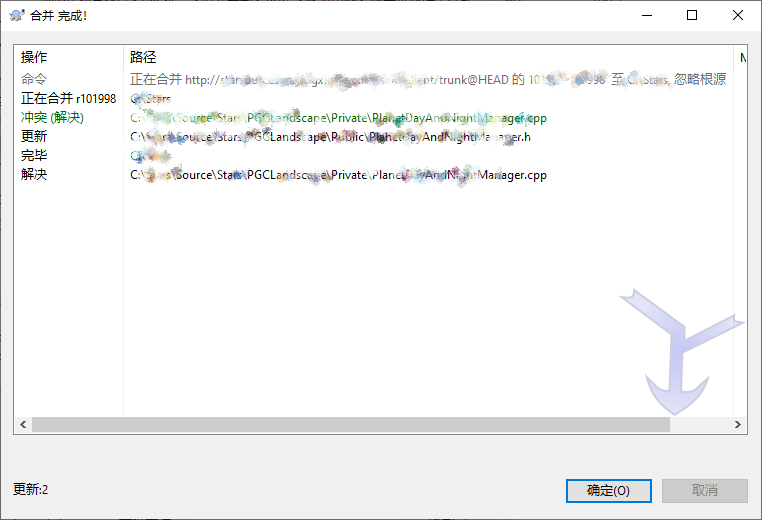
The prompt below indicates the merge succeeded. The branch files have now been modified; just commit them as usual.
 |  |
|---|---|
| English version | Chinese version |