Overview
Because Blueprints are binary files, the version comparison tool built into svn cannot be used to compare changes.
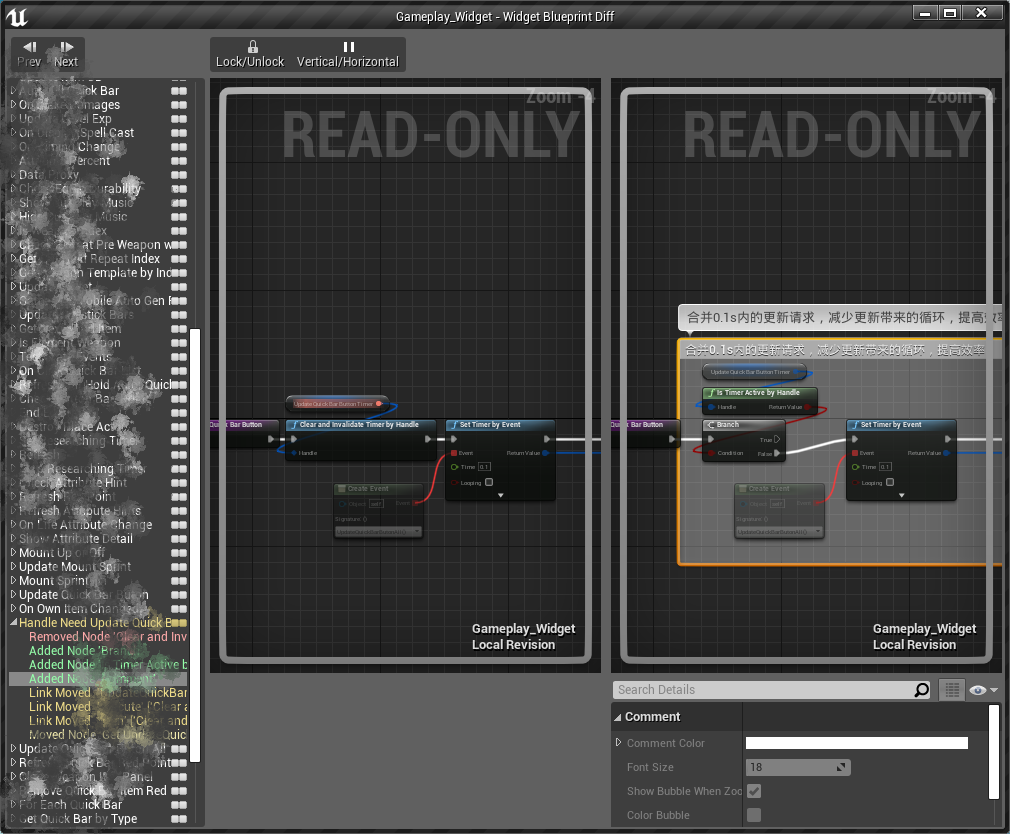
To solve the Blueprint comparison problem, UE4 provides a tool for showing the differences between two Blueprints.
You can connect the Version Control tool directly in the UE editor to provide features such as viewing version history, launching the comparison tool, and conflict prompts. For configuration details, see: Engine built-in Version Control tool
This article describes how to invoke the engine’s comparison tool externally.
Tool Usage
To use it directly, enter the following command in a cmd command prompt window:
| |
A complete example is as follows:
| |
The principle is to pass the -diff parameter when running the engine to open the comparison window, along with the required project path and file paths.
Integrating with SVN
Combined with svn’s custom diff tool feature, you can double-click a version to open the comparison tool.
Right-click the project’s svn root directory and choose Settings (the same applies to the Chinese version).
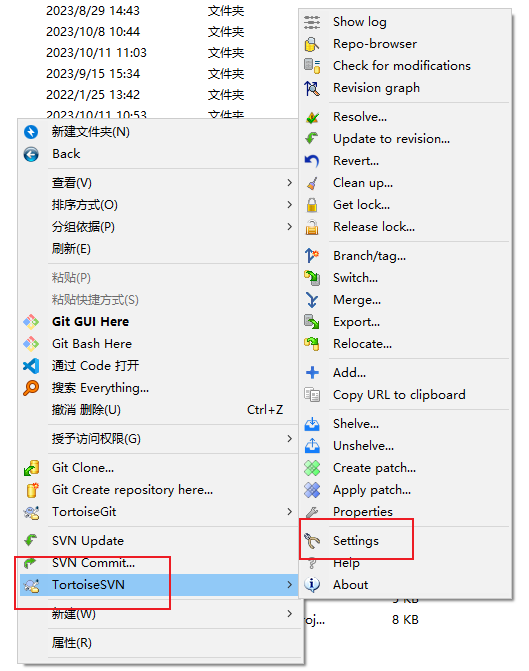 | 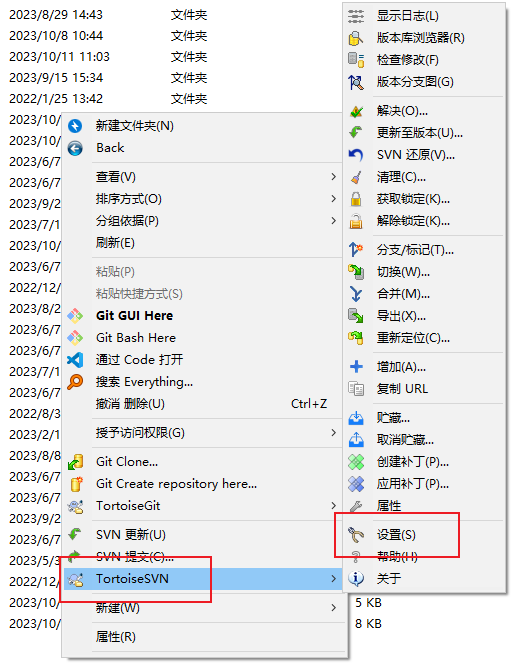 |
|---|---|
| English version | Chinese version |
Under the Diff Viewer tab, select Advanced (the same applies to the Chinese version).
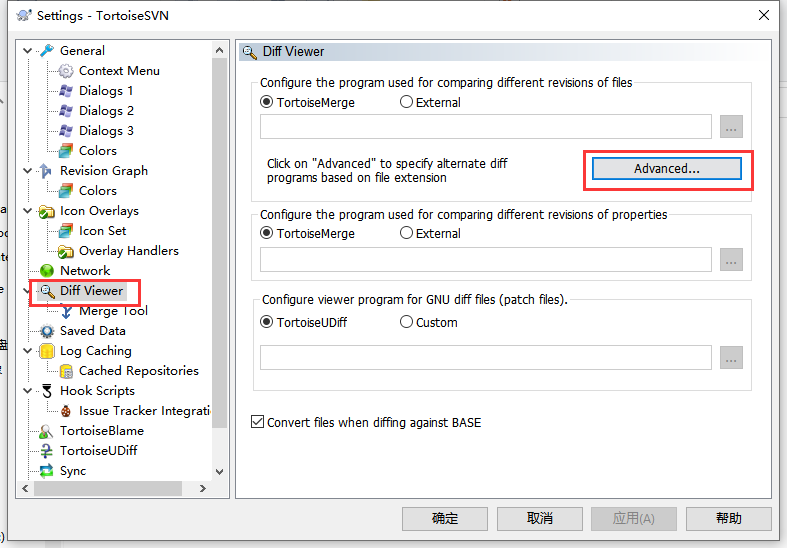 | 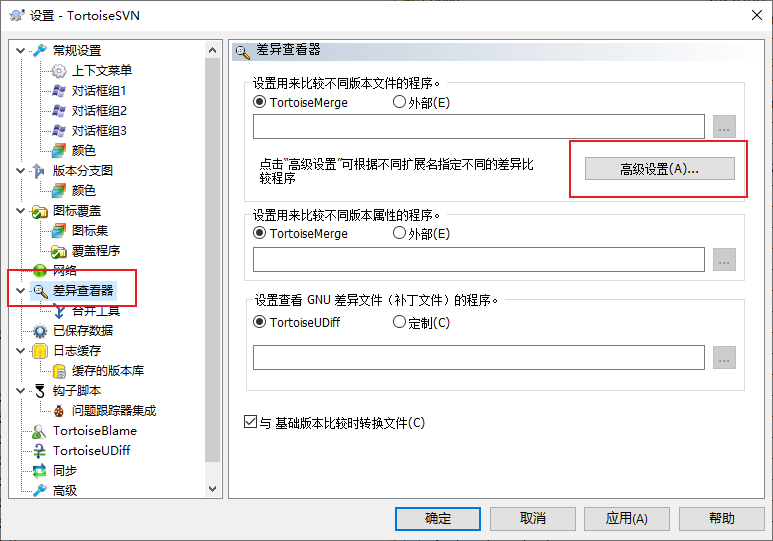 |
|---|---|
| English version | Chinese version |
In this window, you can invoke different comparison tools based on different file extensions, so choose to add a new .uasset file setting.
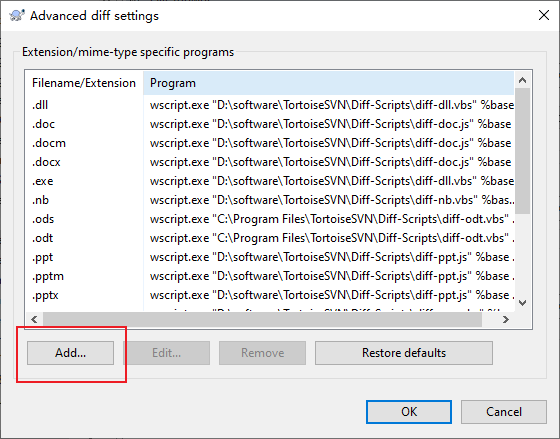 | 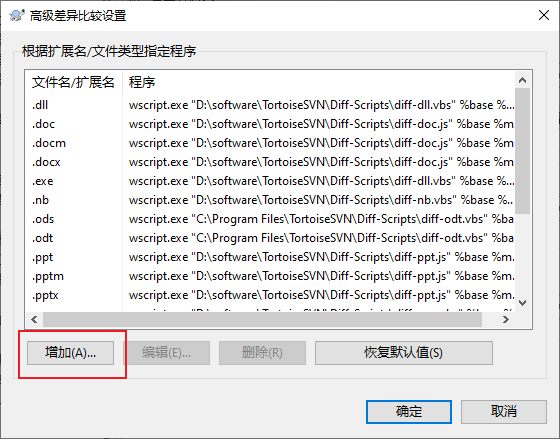 |
|---|---|
| English version | Chinese version |
Enter the specified command line.
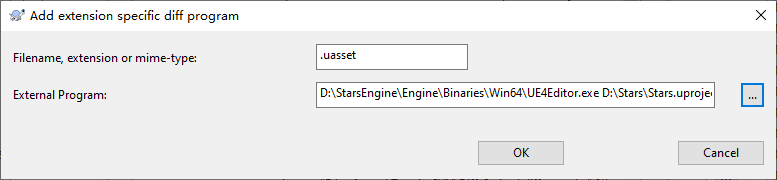 | 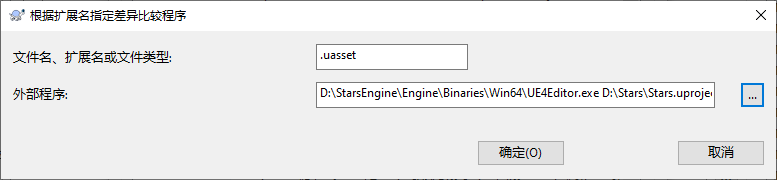 |
|---|---|
| English version | Chinese version |
Enter the extension: .uasset
A complete command line example is as follows:
| |
Here, D:\MetaEngine\Engine\Binaries\Win64\UE4Editor.exe is the engine executable, D:\Meta\Meta.uproject is the project file, %base is replaced with the svn file, and %mine is replaced with the current file.
Comparison Result
Notes
Due to engine issues, some Blueprint formats may not be supported.
Opening the comparison tool is slow, so please be patient. During this process, do not close the svn version history window, otherwise the target temporary file may be deleted and the comparison will fail.
This tool cannot automatically merge Blueprints, so you still need to merge files manually. Be careful to avoid conflicts.
Hopefully UnrealEngine will become more complete!