Introduction
Input is perhaps the best way to distinguish games from ordinary electronic media, so building a solid input system suited to your project is an important engineering task.
Basic Concepts
The basic concepts UE provides are Action Mapping and Axis Mapping. Their differences are as follows:
Action Mapping: a discrete action, such as pressing or releasing a key
Axis Mapping: for example, the stick moves along X
By binding input sources to an action, you can trigger logic when input occurs.
Enhanced Input
Axis and Action mapping are now deprecated.
In UE5, Epic recommends using the Enhanced Input system instead of the UE4 mapping system.
Example
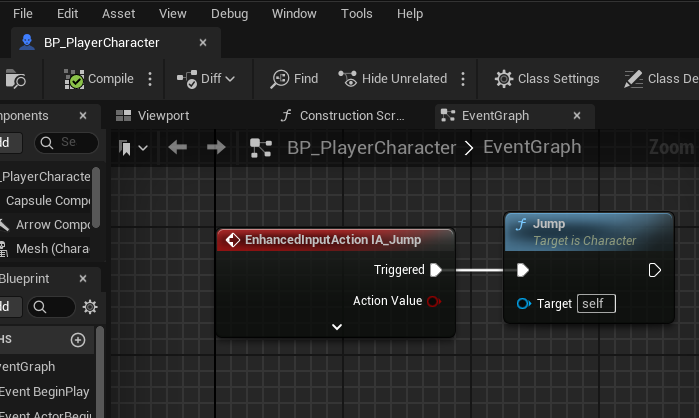
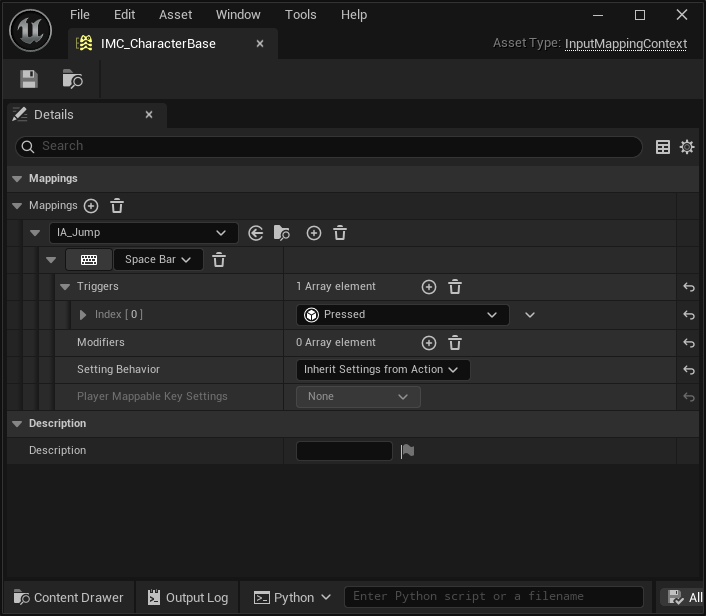
Take jumping as an example: use Enhanced Input to make the character jump when the Space Bar is pressed.
Asset Setup
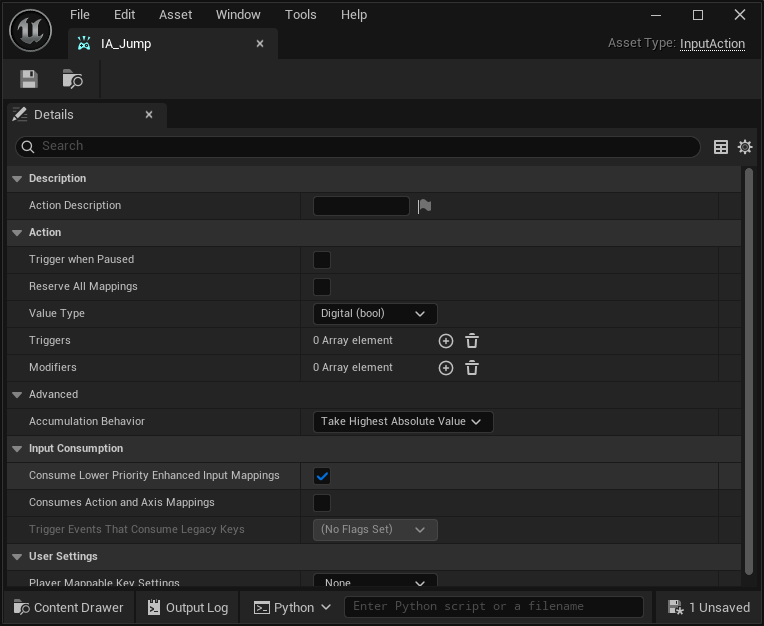
First, create an InputAction, for example named IA_Jump, which represents an action that a Blueprint can listen for.
Create an InputMapContext, for example named IMC_CharacterBase, which represents a group of Actions.
Add Context
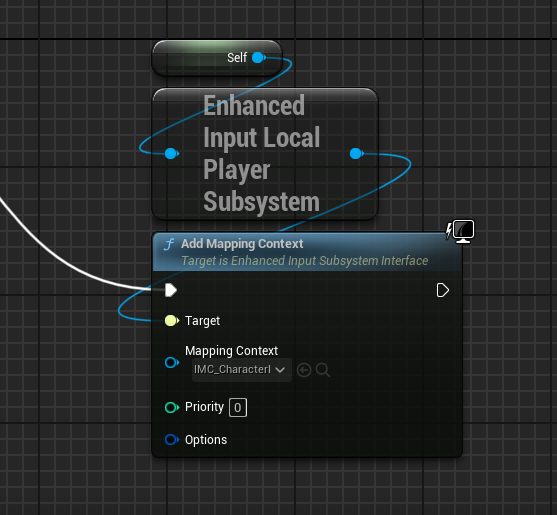
Get the EnhancedInputLocalPlayerSubsystem and add the context.
Listen for the Action
In a Blueprint, you can listen for IA_Jump to trigger the jump.